
Aptabase is an Open Source alternative to Google Firebase Analytics for Tauri Apps
Use the tauri-plugin-aptabase to instrument your app. You're in total control of what events to track.
Here's an example 👇
trackEvent("play_music", {
name: "Here comes the sun"
}); Full install and setup steps in the quickstart below .
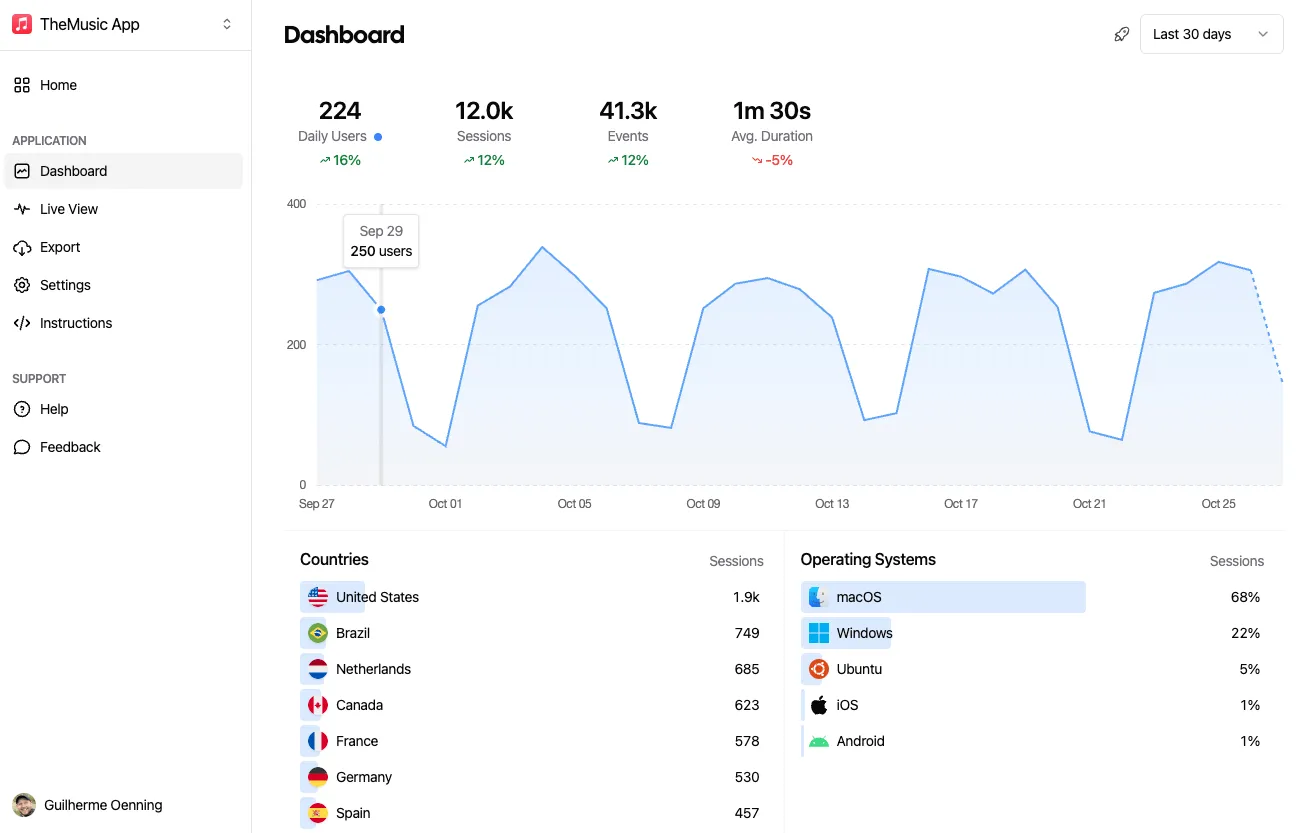
That's it! You'll now see the data on your dashboard as the events come through from your app.
Use Cases
You can't improve what you don't measure. Aptabase helps you get valuable insights from your Tauri Apps in a privacy-friendly manner.
Are you aware of the features in your app that users engage with most frequently? What configurations that majority of your users prefer? Gaining insights into these areas allows you to make well-informed decisions on future focus points for enhancing your Tauri app's user experience.
Tauri apps may lag in user updates due to the need for manual intervention during the update process. However, with Aptabase, you can swiftly determine the adoption rate of your app's newest version. This vital information aids you in making strategic decisions regarding the appropriate timing to phase out older versions.
Aptabase efficiently gathers data such as the names of operating systems such as Windows, macOS and various Linux distributions, and their respective versions. This valuable insight enables you to concentrate on crafting enhanced user experiences tailored to the most widely used OS and versions.
Quickstart
Install the Tauri SDK, initialize it with your App Key and track your first
event. Get the App Key from the dashboard's Instructions
menu — keys look like A-EU-*, A-US-*.
Package: tauri-plugin-aptabase (Rust) + @aptabase/tauri (JavaScript)
cargo add tauri-plugin-aptabase && npm add @aptabase/tauri Register the plugin in your Tauri builder:
#[tokio::main]
async fn main() {
tauri::Builder::default()
.plugin(tauri_plugin_aptabase::Builder::new("<YOUR_APP_KEY>").build())
.run(tauri::generate_context!())
.expect("error while running tauri application");
} Add aptabase:allow-track-event to your Access Control List.
Import the EventTracker trait to call track_event on App, AppHandle or Window:
use tauri_plugin_aptabase::EventTracker;
app.track_event("app_started", None);
app.track_event("screen_view", Some(serde_json::json!({ "name": "Settings" }))); Call flush_events_blocking() before the app exits to make sure all events are sent.
import { trackEvent } from "@aptabase/tauri";
trackEvent("save_settings");
trackEvent("screen_view", { name: "Settings" }); Privacy front and center
In the realms of user tracking and privacy, Aptabase employs a unique strategy to secure the privacy of your users.
Free up to 20,000 events/month. Paid plans from $10/month for 200,000 events up to $450/month for 50,000,000 events. No overage fees.