Why Add Analytics to Your Textual App?
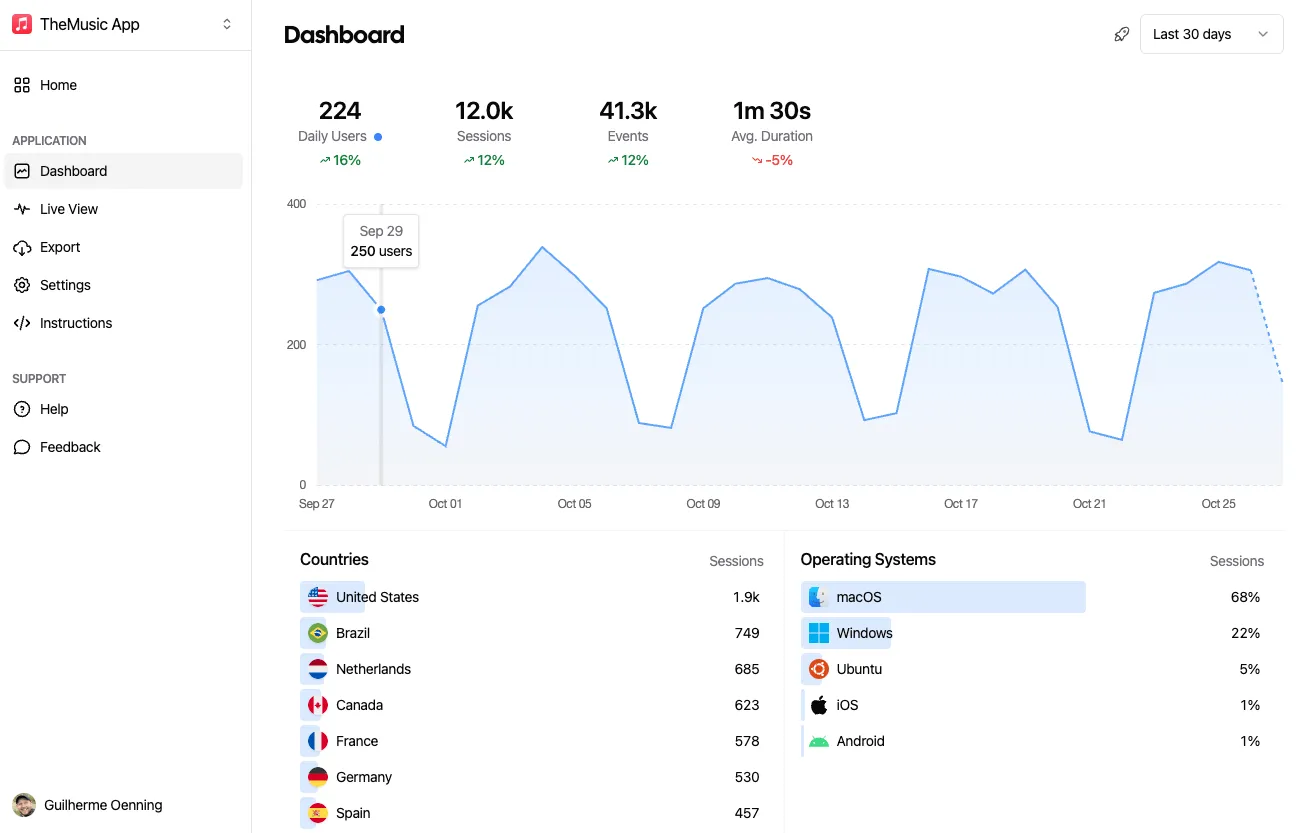
Textual is a powerful framework for building Terminal User Interfaces (TUIs) in Python, and Aptabase provides a privacy-first way to understand how users interact with your applications. By combining them, you can track which features are popular, how users navigate your app, and identify areas for improvement—all while respecting user privacy.
This guide assumes you have a Textual app ready, basic Python knowledge, and want to add Aptabase analytics.
We’ll cover:
- Installing and configuring the Aptabase Python SDK.
- Tracking app lifecycle events (startup, shutdown).
- Tracking user interactions (button clicks, form submissions).
- Best practices for async event tracking in Textual.
Let’s get started!
Installing the Aptabase Python SDK
The Aptabase Python SDK provides an async-first API that integrates seamlessly with Textual’s async architecture.
Step 1: Install the Package
pip install aptabase textualusing uv:
uv add aptabase textualStep 2: Get Your Aptabase App Key
- Sign up at aptabase.com if you haven’t already.
- Create a new app in the dashboard.
- Copy your app key (format:
A-{REGION}-{ID}, e.g.,A-US-1234567890orA-EU-1234567890).
Basic Integration: Tracking App Lifecycle
Let’s start with a minimal example that tracks when your app starts and closes.
Creating a Simple Textual App with Analytics
from textual.app import App, ComposeResult
from textual.widgets import Header, Footer, Static
from aptabase import Aptabase

class MyApp(App):
    """A simple Textual app with analytics."""

    def __init__(self):
        super().__init__()
        self.aptabase: Aptabase | None = None

    async def on_mount(self) -> None:
        """Initialize Aptabase when the app starts."""
        try:
            self.aptabase = Aptabase(
                app_key="A-EU-0000000000",   # Replace with your key
                app_version="1.0.0",
                is_debug=True  # Enable debug logs during development
            )
            await self.aptabase.start()
            await self.aptabase.track("app_started")
            self.notify("Analytics connected! ✅")
        except Exception as e:
            self.notify(f"Analytics unavailable: {e}", severity="warning")

    async def on_unmount(self) -> None:
        """Cleanup Aptabase when the app closes."""
        if self.aptabase:
            await self.aptabase.track("app_closed")
            await self.aptabase.stop()

    def compose(self) -> ComposeResult:
        """Create the UI."""
        yield Header()
        yield Static("Hello, Aptabase!")
        yield Footer()

if __name__ == "__main__":
    app = MyApp()
    app.run()
How It Works
- Initialization: The
Aptabaseclient is created in__init__and started inon_mount()using the async context. - App Lifecycle Tracking: The
app_startedevent is tracked when the app mounts, andapp_closedis tracked when it unmounts. - Async/Await: Aptabase operations use
awaitsince they’re async, which plays nicely with Textual’s async architecture. - Error Handling: If analytics fail to initialize, the app continues running but shows a warning.
Tracking User Interactions
The real power of analytics comes from tracking what users actually do in your app. Let’s build a counter app that tracks button clicks.
Counter App with Button Click Tracking
from textual.app import App, ComposeResult
from textual.containers import Center
from textual.widgets import Button, Header, Footer, Static
from aptabase import Aptabase

class CounterApp(App):
    """A counter app that tracks user interactions."""

    CSS = """
    Screen {
        align: center middle;
    }

    #counter {
        width: 40;
        height: 10;
        content-align: center middle;
        border: solid green;
        margin: 1;
    }

    Button {
        margin: 1 2;
    }
    """

    BINDINGS = [
        ("q", "quit", "Quit"),
    ]

    def __init__(self, app_key: str):
        super().__init__()
        self.app_key = app_key
        self.aptabase: Aptabase | None = None
        self.counter = 0

    async def on_mount(self) -> None:
        """Initialize Aptabase."""
        try:
            self.aptabase = Aptabase(
                app_key=self.app_key,
                app_version="1.0.0",
                is_debug=True
            )
            await self.aptabase.start()
            await self.aptabase.track("app_started")
            self.notify("Analytics connected! ✅")
        except Exception as e:
            self.notify(f"Analytics unavailable: {e}", severity="warning")

    async def on_unmount(self) -> None:
        """Cleanup and track final state."""
        if self.aptabase:
            await self.aptabase.track("app_closed", {
                "final_count": self.counter
            })
            await self.aptabase.stop()

    def compose(self) -> ComposeResult:
        """Create the UI."""
        yield Header()
        with Center():
            yield Static(
                f"[bold cyan]Count: {self.counter}[/bold cyan]",
                id="counter"
            )
            yield Button("Click Me!", id="btn-increment", variant="primary")
            yield Button("Reset", id="btn-reset", variant="warning")
        yield Footer()

    async def on_button_pressed(self, event: Button.Pressed) -> None:
        """Handle button clicks and track analytics."""
        if event.button.id == "btn-increment":
            self.counter += 1
            if self.aptabase:
                await self.aptabase.track("button_clicked", {
                    "action": "increment",
                    "count": self.counter
                })

        elif event.button.id == "btn-reset":
            old_count = self.counter
            self.counter = 0
            if self.aptabase:
                await self.aptabase.track("counter_reset", {
                    "previous_count": old_count
                })

        # Update the display
        counter_widget = self.query_one("#counter", Static)
        counter_widget.update(f"[bold cyan]Count: {self.counter}[/bold cyan]")

if __name__ == "__main__":
    import os
    app_key = os.getenv("APTABASE_APP_KEY", "A-EU-0000000000")
    app = CounterApp(app_key=app_key)
    app.run()
Key Features
- Button Tracking: Each button press is tracked with custom properties like
actionandcount. - State Tracking: The final counter value is sent when the app closes, giving you insight into how much users engage.
Advanced: Tracking Form Submissions
Let’s add a more complex example with a form that tracks user input (without sending sensitive data).
from textual.app import App, ComposeResult
from textual.containers import Container
from textual.widgets import Header, Footer, Input, Button, Label
from aptabase import Aptabase

class FeedbackApp(App):
    """An app that collects and tracks feedback."""

    CSS = """
    Container {
        width: 60;
        height: auto;
        margin: 2;
        padding: 1;
        border: solid blue;
    }

    Input {
        margin: 1 0;
    }

    Button {
        margin: 1 0;
    }
    """

    def __init__(self, app_key: str):
        super().__init__()
        self.app_key = app_key
        self.aptabase: Aptabase | None = None

    async def on_mount(self) -> None:
        """Initialize Aptabase."""
        self.aptabase = Aptabase(
            app_key=self.app_key,
            app_version="1.0.0"
        )
        await self.aptabase.start()
        await self.aptabase.track("feedback_form_opened")

    async def on_unmount(self) -> None:
        """Cleanup Aptabase."""
        if self.aptabase:
            await self.aptabase.stop()

    def compose(self) -> ComposeResult:
        """Create the UI."""
        yield Header()
        with Container():
            yield Label("How would you rate this app? (1-5)")
            yield Input(placeholder="Enter rating...", id="rating")
            yield Label("Any additional comments?")
            yield Input(placeholder="Your feedback...", id="feedback")
            yield Button("Submit", variant="primary")
        yield Footer()

    async def on_button_pressed(self, event: Button.Pressed) -> None:
        """Handle feedback submission."""
        rating_input = self.query_one("#rating", Input)
        feedback_input = self.query_one("#feedback", Input)

        rating = rating_input.value.strip()
        feedback_text = feedback_input.value.strip()

        if rating:
            # Track the rating, but NOT the actual feedback text
            if self.aptabase:
                await self.aptabase.track("feedback_submitted", {
                    "rating": int(rating) if rating.isdigit() else 0,
                    "has_comment": len(feedback_text) > 0,
                    "comment_length": len(feedback_text)
                })

            self.notify("Thank you for your feedback! ✅")
            rating_input.value = ""
            feedback_input.value = ""
        else:
            self.notify("Please enter a rating", severity="warning")

if __name__ == "__main__":
    import os
    app_key = os.getenv("APTABASE_APP_KEY", "A-EU-0000000000")
    app = FeedbackApp(app_key=app_key)
    app.run()
Privacy-First Tracking
Notice that we track:
- ✅ The rating value (numeric, not sensitive)
- ✅ Whether a comment was provided (
has_comment) - ✅ The length of the comment
But we don’t track:
- ❌ The actual comment text (could contain personal information)
This approach gives you useful analytics while respecting user privacy.
Configuration Options
The Aptabase SDK supports several configuration options:
aptabase = Aptabase(
    app_key="A-EU-1234567890",  # Required: Your Aptabase app key
    app_version="1.0.0",         # Your app version (default: "1.0.0")
    is_debug=True,               # Enable debug logs (default: False)
    max_batch_size=25,           # Events per batch (max: 25)
    flush_interval=10.0,         # Seconds between auto-flushes (default: 10.0)
    timeout=30.0,                # HTTP timeout in seconds (default: 30.0)
    base_url=None                # Custom URL for self-hosted (optional)
)
Self-Hosted Aptabase
If you’re running a self-hosted Aptabase instance:
aptabase = Aptabase(
    app_key="A-SH-1234567890",
    base_url="https://analytics.yourcompany.com"
)
Best Practices
1. Event Naming Conventions
Use consistent, descriptive names:
# Good ✅
await aptabase.track("button_clicked", {"button_id": "submit"})
await aptabase.track("screen_viewed", {"screen": "settings"})
await aptabase.track("feature_used", {"feature": "export"})

# Avoid ❌
await aptabase.track("click")
await aptabase.track("event1")
2. Include Relevant Context
Add properties that help you understand the event:
await aptabase.track("search_performed", {
    "query_length": len(query),
    "has_filters": filters_applied,
    "results_count": len(results)
})
3. Don’t Track Sensitive Data
Never send personal information, passwords, API keys, or user-generated content:
# Good ✅
await aptabase.track("login_attempted", {"method": "oauth"})

# Bad ❌
await aptabase.track("login_attempted", {
    "username": "user@example.com",  # Don't track emails!
    "password": "secret123"           # Never track passwords!
})
4. Handle Errors Gracefully
Always wrap analytics in try-except to prevent crashes:
try:
    if self.aptabase:
        await self.aptabase.track("event_name")
except Exception as e:
    # Log but don't crash
    self.log.warning(f"Analytics error: {e}")
5. Manual Flushing
Events are batched and flushed automatically every 10 seconds. For critical events (like app shutdown), manually flush:
async def on_unmount(self) -> None:
    if self.aptabase:
        await self.aptabase.track("app_closed")
        await self.aptabase.flush()  # Ensure event is sent immediately
        await self.aptabase.stop()
Session Management
Aptabase automatically manages user sessions with a 1-hour timeout. Events from the same session are grouped together in the dashboard. The session ID is generated automatically and reset after 1 hour of inactivity.
Testing Your Integration
1. Enable Debug Mode
During development, enable debug logging to see events being sent:
aptabase = Aptabase(
    app_key="A-EU-1234567890",
    is_debug=True
)
2. Check the Dashboard
Visit your Aptabase dashboard at aptabase.com to see events appearing in real-time.
3. Test Event Properties
Verify that your event properties are being captured correctly:
await aptabase.track("test_event", {
    "property1": "value1",
    "property2": 123,
    "property3": True
})
Common Patterns
Tracking Screen Navigation
If your Textual app has multiple screens:
def on_screen_resume(self) -> None:
    """Track when a screen becomes active."""
    if self.aptabase:
        asyncio.create_task(self.aptabase.track("screen_viewed", {
            "screen": self.__class__.__name__
        }))
Tracking Keyboard Shortcuts
async def action_save(self) -> None:
    """Handle Ctrl+S save action."""
    if self.aptabase:
        await self.aptabase.track("keyboard_shortcut", {
            "action": "save"
        })
    # ... actual save logic
Tracking Error Events
try:
    # Some operation that might fail
    result = perform_operation()
except Exception as e:
    if self.aptabase:
        await self.aptabase.track("error_occurred", {
            "error_type": type(e).__name__,
            "operation": "perform_operation"
        })
    raise
Project Structure Example
Here’s how your Textual project might be organized:
my-textual-app/
├─ src/
│  ├─ __init__.py
│  ├─ app.py              # Main Textual app
│  ├─ screens/
│  │  ├─ __init__.py
│  │  ├─ main.py          # Main screen
│  │  └─ settings.py      # Settings screen
│  └─ widgets/
│     ├─ __init__.py
│     └─ custom_button.py # Custom widgets
├─ .env                   # Store APTABASE_APP_KEY here
├─ requirements.txt
└─ README.md
Add to requirements.txt or pyproject.toml:
textual>=6.7.0
aptabase>=0.1.0
References
Conclusion
Integrating Aptabase with Textual gives you valuable insights into how users interact with your terminal applications, all while maintaining a privacy-first approach. The async-first design of both libraries makes integration seamless and efficient.
Start tracking today and make data-driven decisions about your TUI app’s development!
If you have any questions or feedback, feel free to reach out on Twitter or join us on Discord and we’ll be happy to help!